The Laser
K40 Laser (M2 Nano Board)
A K40 CO2 laser with its stock Lihuiyu M2 Nano board, driven directly over USB: board settings, connection, framing, engraving and power at the panel knob.
Experimental: written from the public description of the protocol and tried on a simulated board, not yet on a real K40.
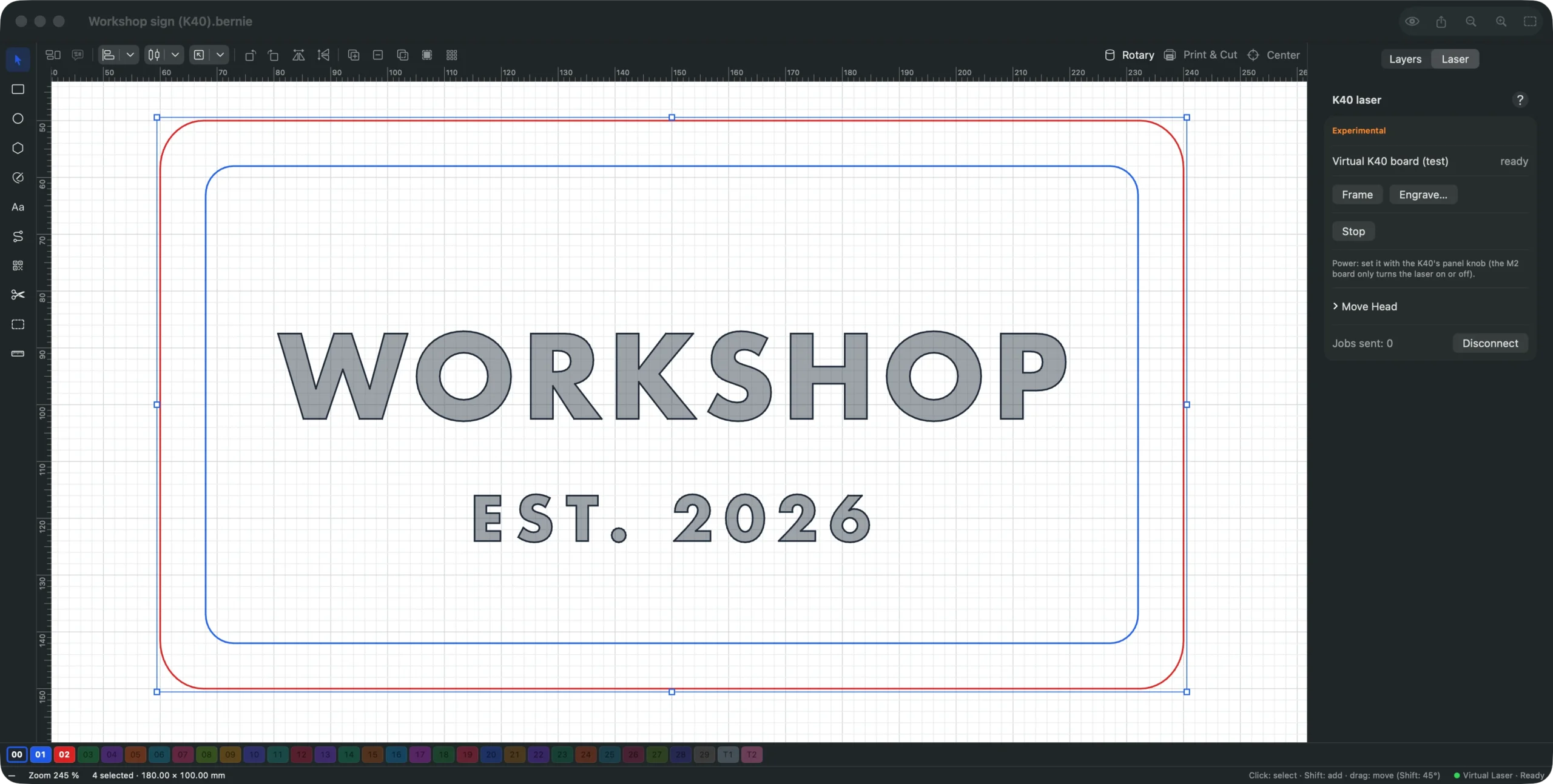
“K40” CO2 lasers still fitted with their stock Lihuiyu board (M2 Nano, marked “6C6879-LASER-M2”; also M3, B2…) do not understand G-code: Bernie drives them directly through their board, over USB. Settings › Devices › New › “K40 (M2 Nano board)”, the catalog machine “K40 CO2 40 W (M2 Nano)”, or the K40 with stock M2 Nano board box of a profile. A K40 whose board has been replaced (DLC32, FluidNC…) speaks GRBL: choose the catalog machine “K40 CO2 40 W (GRBL, FluidNC, DLC32)”, or untick this box and choose the firmware.
- K40 board (device settings): board model (M2 by default), serial number if the board asks for it (a locked board refuses jobs without it), maximum speeds, return at the end of the job. Origin at the top left, at the end stops.
- Connect (Laser panel, K40 Laser block): on the Mac, in the desktop app (Windows, Linux) and in Bernie Studio opened in Chrome or Edge; on iPad and iPhone, through Bernie Link (
--k40option). Close K40 Whisperer or LaserDRW first. On Windows, the board’s USB chip (CH341) must use the WinUSB driver, installed with the Zadig tool instead of the manufacturer’s; on Linux, Bernie’s packages install the USB access rule. - Frame: homes, then the head traces around the job with the laser off.
- Engrave…: after the safety question, the head goes to the origin, then engraves. Vector paths are engraved in “twitchless” mode; horizontal fills and images are scanned by the board itself, in one direction or both; an angled or cross-hatched scan is engraved as paths, more slowly.
- Power: on an M2, it is set with the K40’s panel knob (with the ammeter); the board only turns the laser on or off, and the layers’ power is ignored. A recent M3 receives each layer’s power. For images, prefer dithering: grayscale gives no shades.
- Pause, Resume… (after a question) and Stop (emergency stop, at any time).
- Move the head: arrows in steps of 1, 10 or 50 mm, Home, Unlock the head (motors released: the head can be pushed by hand; the next job starts again from the origin).
- Placement: the board does not report where the head is; choose “Absolute coordinates” or the user origin. Every job and every framing starts again from the origin.
This manual is also built into Bernie: press F1, or open the Help menu, to read the topic for what you are doing. A mistake, a missing answer? Tell us
Try it in Bernie, for free.
Free laser engraving and cutting software for diode, CO2, fiber and galvo lasers. Windows, Mac, Linux, iPad, iPhone and in the browser.