Compatibility
Compatible laser machines: diode, CO2, fiber and galvo.
Bernie speaks the language of most lasers on the market. Here, with no embellishment, is what it controls directly, what goes through a file — and what is coming soon.
Four families of lasers
Bernie adapts its settings and its vocabulary to the kind of machine you own.
Diode laser
5 to 40 W modules for wood, leather, cardboard and slate. The most widespread family in maker workshops.
CO2 laser
40 to 150 W tubes to cut acrylic and thick wood. Ruida controllers and dual tubes supported.
Fiber and galvo
Two mirrors steer the beam: near-instant metal marking. Fiber, MOPA, UV and CO2 galvo.
No laser yet?
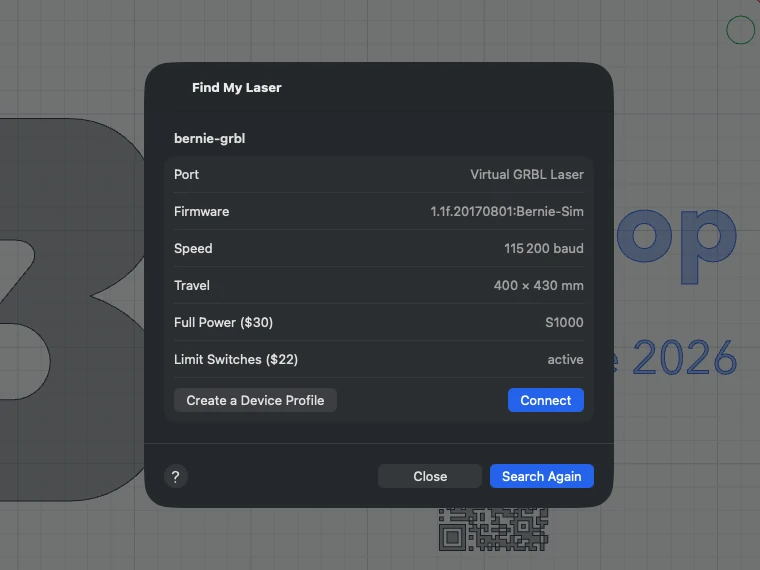
The virtual laser simulates a complete GRBL machine. A virtual galvo, Ruida and JCZ board are in the box too.
Supported controllers
It’s the controller, more than the brand, that decides compatibility. Check the one in your machine in its documentation or on the board’s label.
| Controller | Connection | Support |
|---|---|---|
| GRBL grblHAL, FluidNC, GRBL-M3 | USB, Wi-Fi, Ethernet | Direct control |
| Marlin | USB | Direct control |
| Smoothieware | USB | Direct control |
| Custom G-code Duet / RepRapFirmware, Mach3 / Mach4, UCCNC | Depends on the machine | Direct control |
| Ruida including dual tube | Network, .rd file, Bernie Link relay | Being validated |
| JCZ galvo EZCad2, EZCad3 (configuration) | .ezd export | EZCad export |
| Trocen, TopWisdom, K40 (M2 Nano) xTool and Emblaser own protocols | — | File preparation |
Catalog: 17 machines ready to go
Pick your model: work area, port speed, macros, start G-code and material library are set up for you.
xTool
- D1 Pro (5 W, 10 W) 430 × 400 mm
- D1 Pro 20 W 430 × 390 mm
Snapmaker
- 2.0 A250T 250 × 250 mm
- 2.0 A350T 350 × 350 mm
- Artisan 400 × 400 mm
- Ray 600 × 400 mm
Emblaser
- 1 A3 419 × 287 mm
- 1 A4 305 × 210 mm
- 2 / Core 500 × 300 mm
- 3 400 × 400 mm
Ortur
- Laser Master 2 400 × 430 mm
- Laser Master 3 400 × 400 mm
Sculpfun
- S9 410 × 400 mm
- S30 Pro Max 410 × 400 mm
Creality · Atomstack · WorldStarTech
- Creality Falcon2 22 W 400 × 415 mm
- Atomstack A10 Pro 410 × 400 mm
- WorldStarTech manufacturer profile
Connection
Four ways to connect your laser
USB
“Find My Laser” tries the usual speeds and creates the profile from the machine. If it fails, the reason is clear: port busy, not found or missing driver.
Wi-Fi and Ethernet
grblHAL, FluidNC and serial-to-Wi-Fi bridges; lasers advertised on the network show up on their own.
Shared laser
Through a Mac in Hub mode or Bernie Link on a Raspberry Pi: the whole house engraves on the same machine.
Virtual laser
To learn, prepare and time your jobs, with no hardware.
Your machine is not on the list?
01
A profile from the laser
Plug it in: Bernie reads the work area, power, speeds and accelerations straight from the controller.
02
Import a .lbdev profile
Your LightBurn devices and their macros come back into service; Bernie points out anything without an equivalent.
03
Custom G-code
Templates for every command, variables, conditional lines: enough to tame the most exotic controllers.
Your laser is waiting.
Install Bernie, plug in the machine: the start-up tour takes care of the rest in two minutes.