Images & photos
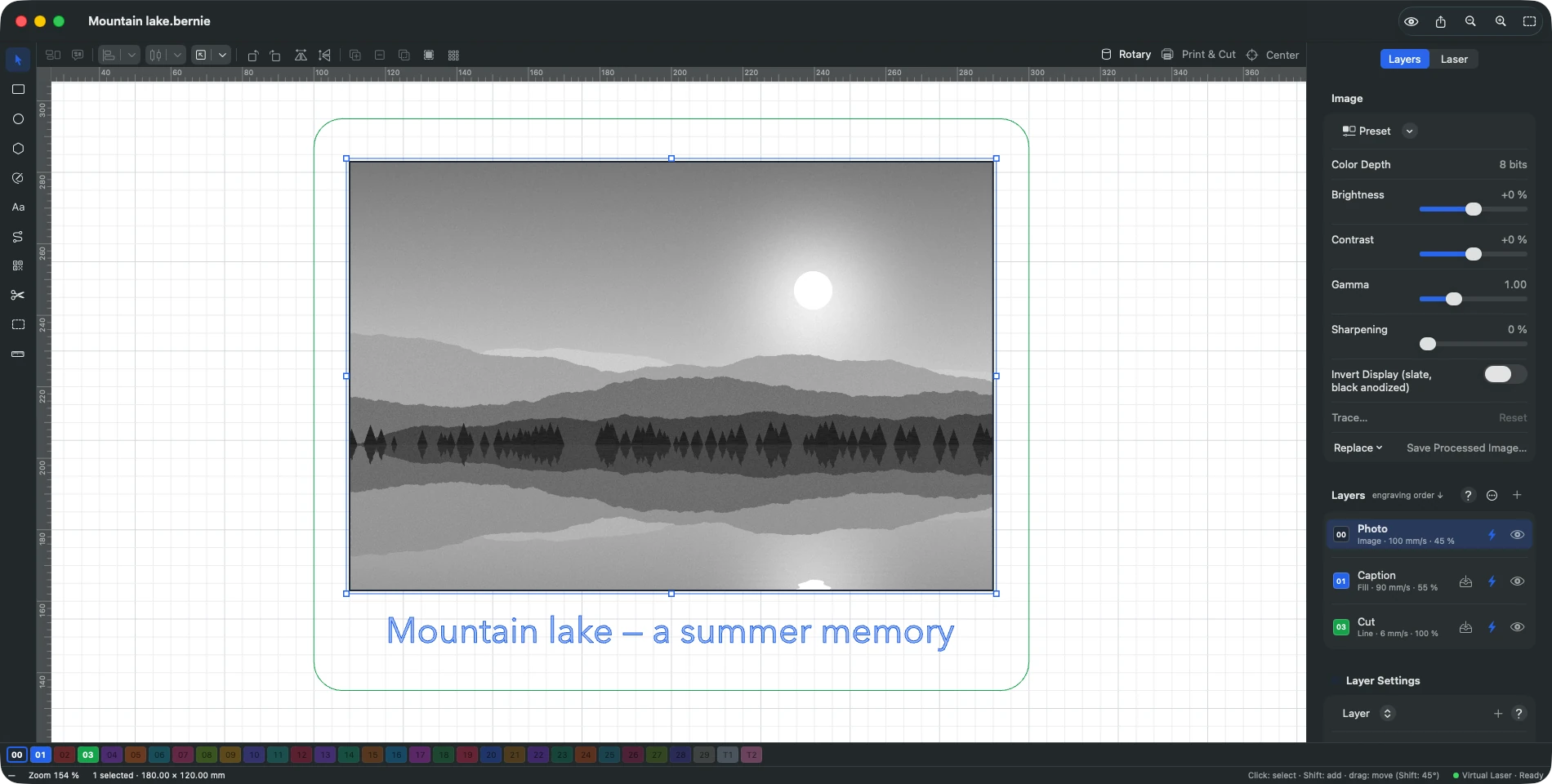
Photos that engrave as well as they look on screen
Engraving a photo is no time for guesswork. Bernie brings together proven dithering methods, fine-grained settings and an assistant that guides you step by step to the result.
In detail
Import and adjust
- Common formats PNG, JPEG, BMP, GIF, WebP and TIFF — 16-bit kept, at their original resolution.
- Image adjustments Brightness, contrast, gamma, sharpening; presets included, or your own to import and export.
- Mask and crop A shape limits the engraving, an inner shape makes a hole; crop, flatten, remove.
- Replace without starting over Swap the image while keeping its place and its settings.
Dithering
- Error diffusion Stucki, Floyd-Steinberg, Jarvis and Atkinson.
- Halftone Adjustable cells per inch and angle, plus newsprint screen.
- Sketch, threshold, grayscale From outline only to smooth gradients, in positive or negative.
- Dot correction Makes up for the real width of the beam for accurate tones.
Tracing and 3D
- Trace an image Preview, threshold, smoothing, area and sketch mode — or in batches, to SVG.
- 3D slicing On galvo: a depth map engraved in as many slices as passes, with clean-up passes.
Photo engraving assistant
- Five guided steps Focus, speed and power, interval, dot correction, then the image settings.
Explore the other features
- Drawing & text A vector editor built for the laser
- Layers & materials Every colour, a setting. Every material, its recipe.
- Preview & safety Nothing goes to the laser without being checked
- Connection & control Your laser connected and under control in seconds
- Galvo & fiber Galvo marking, finally without the headache
- Camera & rotary Engrave exactly where you planned to
- Files & automation Your files come with you. So do your habits.
All this, for €0.
Every feature on this page is included, on every platform, for everyone.