Drawing & text
A vector editor built for the laser
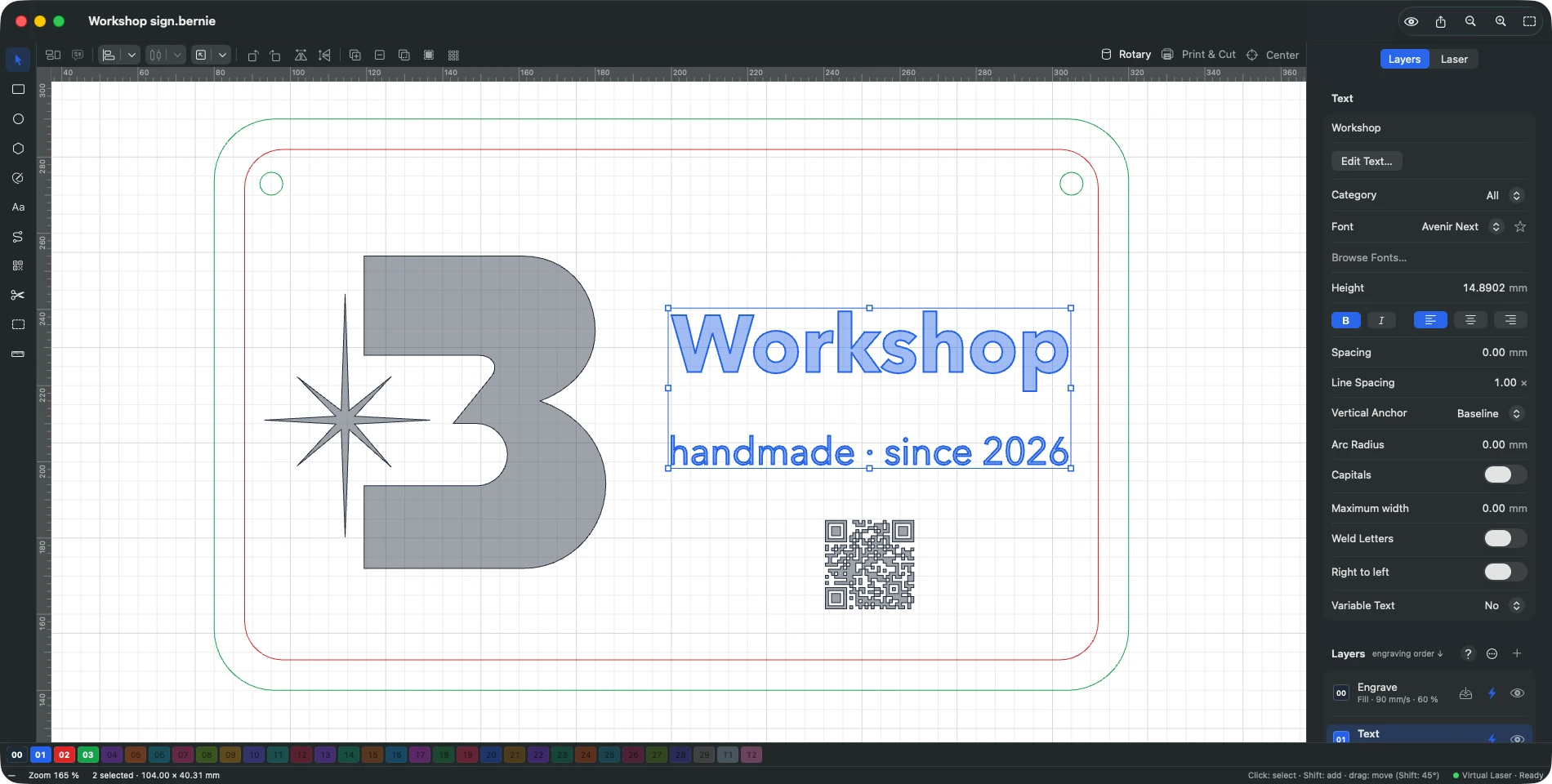
Bernie isn't just a file “sender”: it's real drawing software, designed for what will come out of the laser, down to a tenth of a millimetre.
In detail
Workspace
- A bed to scale The canvas takes the exact size of your machine, with a grid and the head’s crosshair when the laser is connected.
- Your own layout Toolbars and panels to show, hide or move; the Laser panel in its own window on Mac; light or dark theme.
- Rulers, guides and dimensions Graduated rulers, guidelines saved with the project, live dimensions while drawing, measurements of the selection.
- Beginner mode Layer settings trimmed down to the essentials to get off to a good start.
- Full history Every action is remembered: go back to any state in one click.
Drawing tools
- Basic shapes Rectangle with rounded corners, ellipse, polygon, star and dual star.
- Paths and nodes Corners, curves, smooth nodes; break, close, straighten, trim at crossings; fillets and inverted fillets.
- Numeric entry Position, size and rotation in mm, inches or % — with calculations in the fields: 100/3, (80-4)*2, 2in.
- Smart snapping To nodes, midpoints, intersections and centers, or to the grid, with alignment guides.
- Trim tool Removes the part of a line between two intersections and welds what is left.
Editing shapes
- Booleans Union, subtract, intersect, exclude — with an assistant that shows the results side by side.
- Offset path Grow or shrink, with round, sharp or bevelled corners.
- Path clean-up Auto-join, close paths, delete duplicates, optimize nodes.
- Warping Shear, warp by 4 corners or by a 16-point grid, mirror across a line, rubber-band outline.
- Slots to thickness Notches and mortises resized to the real thickness of the material — ideal for boxes.
- Art library Your reusable drawings, stored with their layer settings.
Layout and nesting
- Align, distribute, dock With a preview and padding; place on the bed or under the laser head.
- Arrays Grid or circular, staggered, every other row mirrored, variable text from one copy to the next.
- Virtual array Linked clones that follow every change to the original.
- Copy along a path By count or by spacing, with rotation and progressive size.
- Fine nesting By the real outline of the parts, rotations allowed, small parts fitted into holes, extra beds.
Text and typography
- Full formatting Bold, italic, line spacing, welded letters, text on an arc, right-to-left writing.
- Text on a path Alignment, offset and anchoring; the path stays editable at its nodes.
- Variable text Serial numbers, date and time, CSV merge, project counter — to engrave series effortlessly.
- SHX single-line fonts Engrave in a single stroke with AutoCAD fonts.
- Missing fonts Flagged when a file opens and replaced in one move.
Codes and markers
- QR code and Data Matrix Adjustable error correction, GS1, Wi-Fi and contact card assistants.
- Barcodes Code 128, Code 39, EAN-13 and UPC-A, with human-readable text and add-on code.
- Vision markers AprilTag and ArUco, with a quiet zone.
Explore the other features
- Images & photos Photos that engrave as well as they look on screen
- Layers & materials Every colour, a setting. Every material, its recipe.
- Preview & safety Nothing goes to the laser without being checked
- Connection & control Your laser connected and under control in seconds
- Galvo & fiber Galvo marking, finally without the headache
- Camera & rotary Engrave exactly where you planned to
- Files & automation Your files come with you. So do your habits.
All this, for €0.
Every feature on this page is included, on every platform, for everyone.