Preview & safety
Nothing goes to the laser without being checked
Before you burn a single board, Bernie shows, explains and checks. And while the job runs, the STOP button is always within reach.
In detail
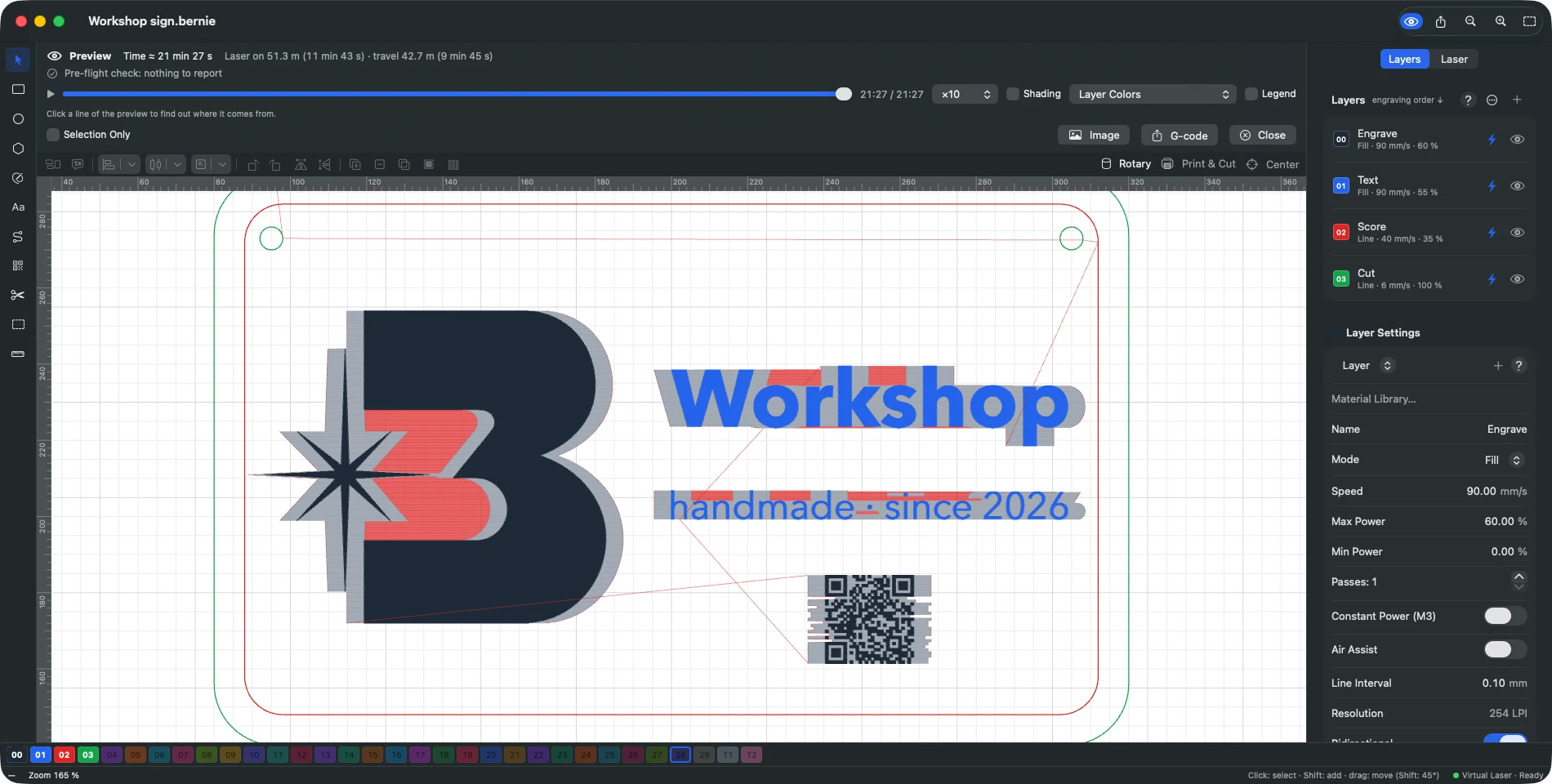
Preview
- Complete paths Engraving, laser-off and rapid moves, with a timeline slider and shading by power.
- Rendered on the material Wood, plywood, cardboard, leather, slate, black acrylic, anodized aluminium.
- Why this line? One click: what the line is, its layer, speed, power, when it runs — and the original object found again.
- Estimated time Based on the machine’s real accelerations, then refined by your past jobs.
Pre-flight check
- Mistakes blocked Nothing to engrave, out of bounds, speed too high, open shapes in a fill, duplicates, hidden layer still sent…
- Objects pointed out Every finding shows the shapes involved.
Optimization
- Cut order Inner shapes first, fewer travel moves, start on a corner, overlapping lines removed.
- Mechanical quality Cut in a given direction, hide backlash, reduce direction changes.
Safety
- Always confirmed Before every job — and never a remote start without confirmation.
- STOP is always there Available at any moment, from the keyboard as well as on screen.
- Machine safeguards Manual firing off by default, manufacturer settings behind a warning, a backup before every write.
- Essential reminders Goggles, supervision, ventilation, forbidden materials such as PVC.
Explore the other features
- Drawing & text A vector editor built for the laser
- Images & photos Photos that engrave as well as they look on screen
- Layers & materials Every colour, a setting. Every material, its recipe.
- Connection & control Your laser connected and under control in seconds
- Galvo & fiber Galvo marking, finally without the headache
- Camera & rotary Engrave exactly where you planned to
- Files & automation Your files come with you. So do your habits.
All this, for €0.
Every feature on this page is included, on every platform, for everyone.