Bernie User Guide
Keyboard Shortcuts
The default shortcut list and how to assign your own key combinations, with conflicts reported and defaults restored in one click.
You can change shortcuts in Settings › Shortcuts (on iPad: Preferences › Keyboard Shortcuts):
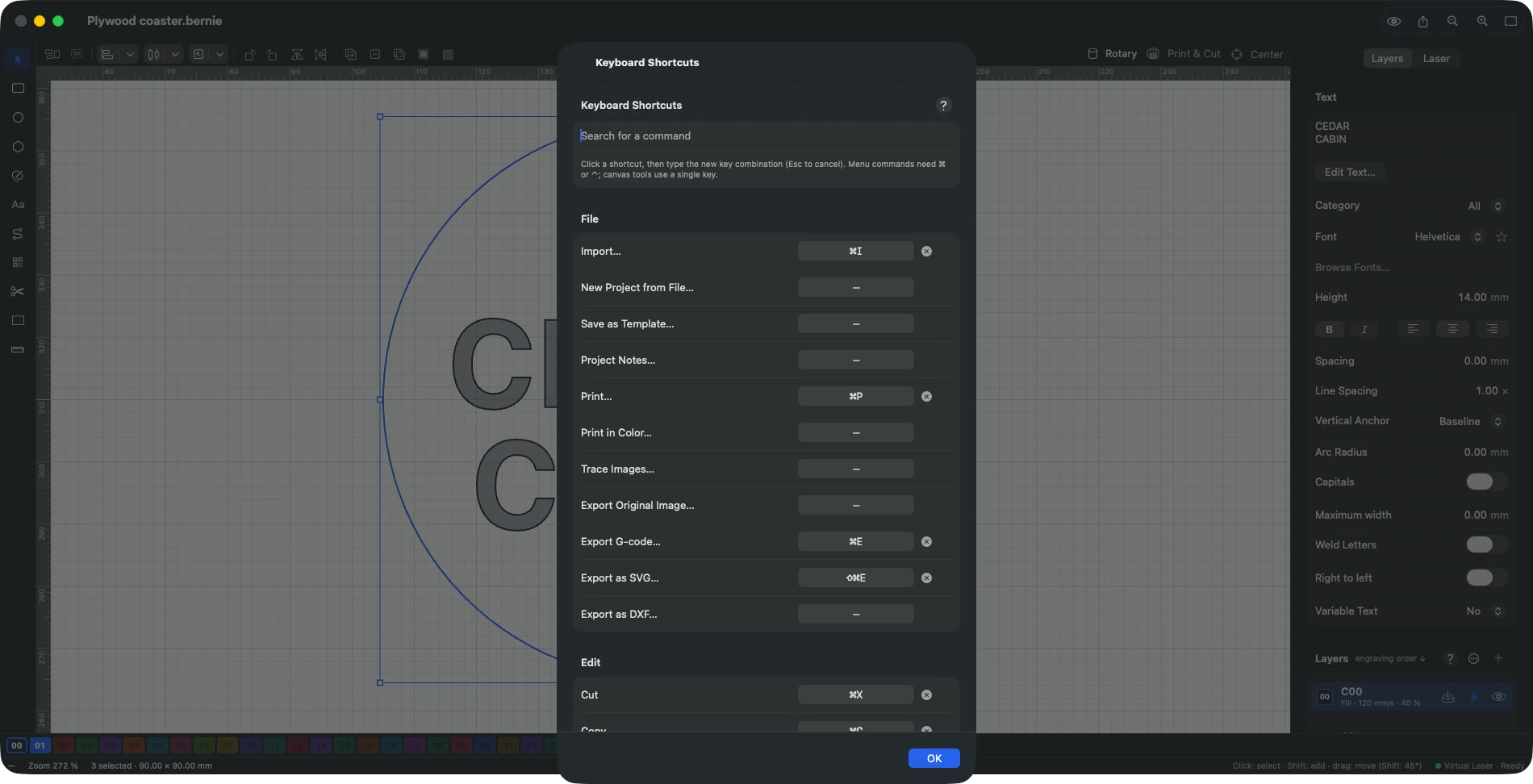
- click a command’s shortcut box, then type the new key combination (Esc to cancel); the search field finds a command by name or by shortcut;
- a menu command needs ⌘ or ⌃ (or a function key); a canvas tool takes a single letter or digit, without modifier keys, so it never gets in the way of typing text;
- if the combination is already in use, Bernie tells you and offers to reassign it: the other command loses its shortcut;
- ✕ removes a shortcut, ↶ restores the default one; “Restore All Default Shortcuts” undoes every change;
- ⌘. (laser stop), the File menu commands, Undo, Redo and system shortcuts cannot be changed;
- changed shortcuts are included when you export your preferences.
Default shortcuts:
| Shortcut | Action |
|---|---|
| V, R, E, P, L, T, N, X, M | Select, Rectangle, Ellipse, Polygon, Line, Text, Nodes, Trim, Measure tools |
| I, S, C, B, F | Node tool: insert, smooth node, corner node, break path, close path |
| L, S, A, T, E | Node tool, segment under the pointer: straighten, smooth curve, align, trim, extend (they take priority over the tools while editing nodes) |
| Tab, Shift-Tab | Next, previous object |
| ⌘Z, ⇧⌘Z | Undo, redo |
| ⌘X, ⌘C, ⌘V, ⌘D | Cut, copy, paste, duplicate |
| ⌥⌘V | Paste in place |
| ⌘A | Select all |
| ⇧⌘I | Invert selection |
| F1 | Help on what you are doing |
| ⌘G, ⇧⌘G | Group, ungroup |
| ⇧⌘H, ⇧⌘V | Flip horizontal, vertical |
| ⇧⌘A | Array |
| ⌘L, ⇧⌘L | Lock, unlock |
| ⇧⌘], ⌘], ⌘[, ⇧⌘[ | Bring to front, bring forward, send backward, send to back |
| ⌫ | Delete the selection |
| Arrows (Shift: large step) | Move the selection |
| ⇧⌘K | Insert a code |
| ⌘I | Import |
| ⌘E, ⇧⌘E | Export G-code, export SVG |
| ⌥⌘U, ⌥⌘-, ⌥⌘I | Union, subtract, intersect |
| ⌥⌘O | Offset path |
| ⌥⌘P, ⌥⌘B | Convert to path, break apart |
| ⌥⌘J, ⌥⌘D | Rebuild curves, delete duplicates |
| ⌥⌘T | Trace image |
| ⌥⌘L | Material library |
| ⇧⌘R | Rotary |
| ⌘=, ⌘-, ⌘0, ⇧⌘0 | Zoom in, out, show the bed, show the selection |
| ⌘’, ⇧⌘’ | Snap to objects, to the grid |
| ⌥⌘F | Filled display |
| ⇧⌘P | Job preview |
| ⌘. | Stop the laser |
| ⌘, | Settings |
| ⌘R | Show or hide the rulers |
| ⌥⌘ arrows | Move the laser head by one step |
This manual is also built into Bernie: press F1, or open the Help menu, to read the topic for what you are doing. A mistake, a missing answer? Tell us
Try it in Bernie, for free.
Free laser engraving and cutting software for diode, CO2, fiber and galvo lasers. Windows, Mac, Linux, iPad, iPhone and in the browser.