Layers & materials
Every colour, a setting. Every material, its recipe.
Thirty colour layers to drive speed, power and passes — and more than 1,800 ready-to-use material settings so you never start from scratch.
In detail
Layers
- 30 layers + 2 tool layers Layers numbered 00 to 29, plus T1 and T2 for markers and templates — never engraved.
- Cutting order By drag and drop, with a “cuts last” sort.
- Sub-layers Several settings on the same objects: a fill, then an outline.
- Copy settings Copy and paste between layers, defaults for new ones.
Engraving modes
- Line Cutting and marking: kerf offset, tabs, perforation, lead-in and lead-out, pierce.
- Fill Cross-hatching, bidirectional, separate islands, flood fill, edge ramp for relief.
- Offset fill Successive outlines working inwards.
- Image The mode dedicated to photos and dithering.
Advanced settings
- Speed and power Per second or per minute, min and max power, passes, air assist, automatic overscan, constant M3.
- Z axis and 4th axis Z offset per layer, step down per pass, material height, U position.
- Ruida dual tube Separate power settings for the second tube.
- MOPA and drag knife Frequency and pulse width per layer; power-free layers for diamond drag tools.
Material libraries
- More than 1,800 settings 17 libraries: general diode and CO2 settings, per-machine libraries (Creality Falcon2, Elegoo Phecda, Snapmaker Ray, xTool D1…) and MOPA fiber.
- One click, one setting Settings by material and thickness, reapplied instantly and tied to your machine.
- Shared folder iCloud Drive or network: the same library on all your computers.
- LightBurn compatible Import and export of .clb libraries, frequency, Z and ramps included.
Tests and patterns
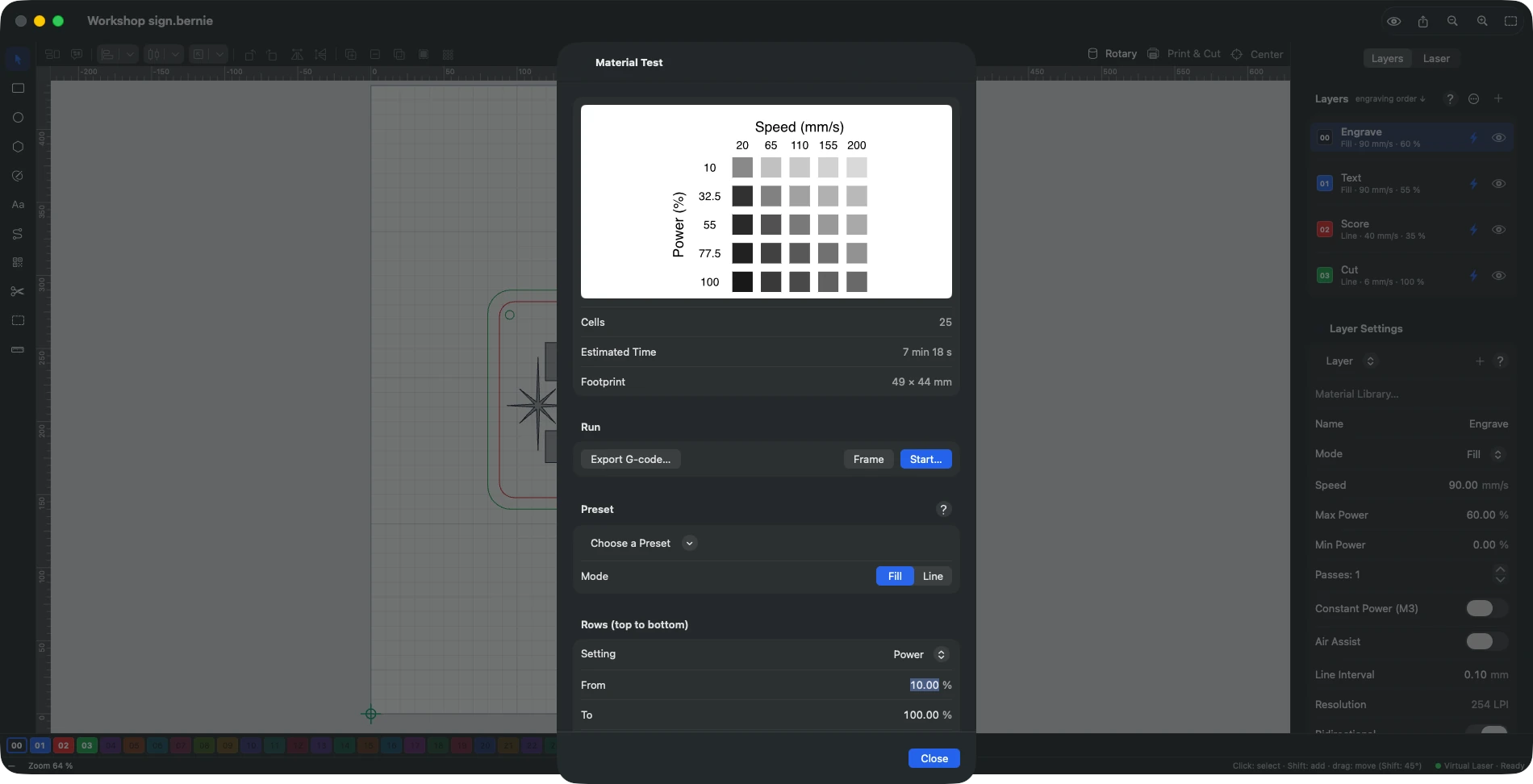
- Material test A speed × power grid (or interval, or passes) engraved by increasing energy; keep the best square.
- Focus and tuning Z height, firing threshold, scanning offset.
- Calibration patterns Kerf, mechanical backlash, dot correction.
Explore the other features
- Drawing & text A vector editor built for the laser
- Images & photos Photos that engrave as well as they look on screen
- Preview & safety Nothing goes to the laser without being checked
- Connection & control Your laser connected and under control in seconds
- Galvo & fiber Galvo marking, finally without the headache
- Camera & rotary Engrave exactly where you planned to
- Files & automation Your files come with you. So do your habits.
All this, for €0.
Every feature on this page is included, on every platform, for everyone.